3CX call transcription on your own desktop, without the AI edition
Scribe transcribes 3CX call recordings on the desktop you already own: point it at the folder the recordings land in and each new file becomes a searchable transcript with a summary. 3CX's own transcription is a feature of its AI edition, a licence for the whole phone system. Watched folders are free while Scribe is in beta.
Download Scribe Free plan for Windows and macOS. No card.
What Scribe does
It works from the recording, and nothing else
No PBX involvement at all
Scribe is not on the call, not in the signalling path and not a device on your phone system. It reads audio files after the fact, which is why it needs no licence, no extension and no change to 3CX.
Any SIP client, not one product
Whatever softphone your team uses, if it can write a call recording to a folder, that folder is the entire integration. MicroSIP, Bria, Linphone, Softphone.Pro and Zoiper 5 all do, though in Linphone you start each recording yourself.
A folder, watched
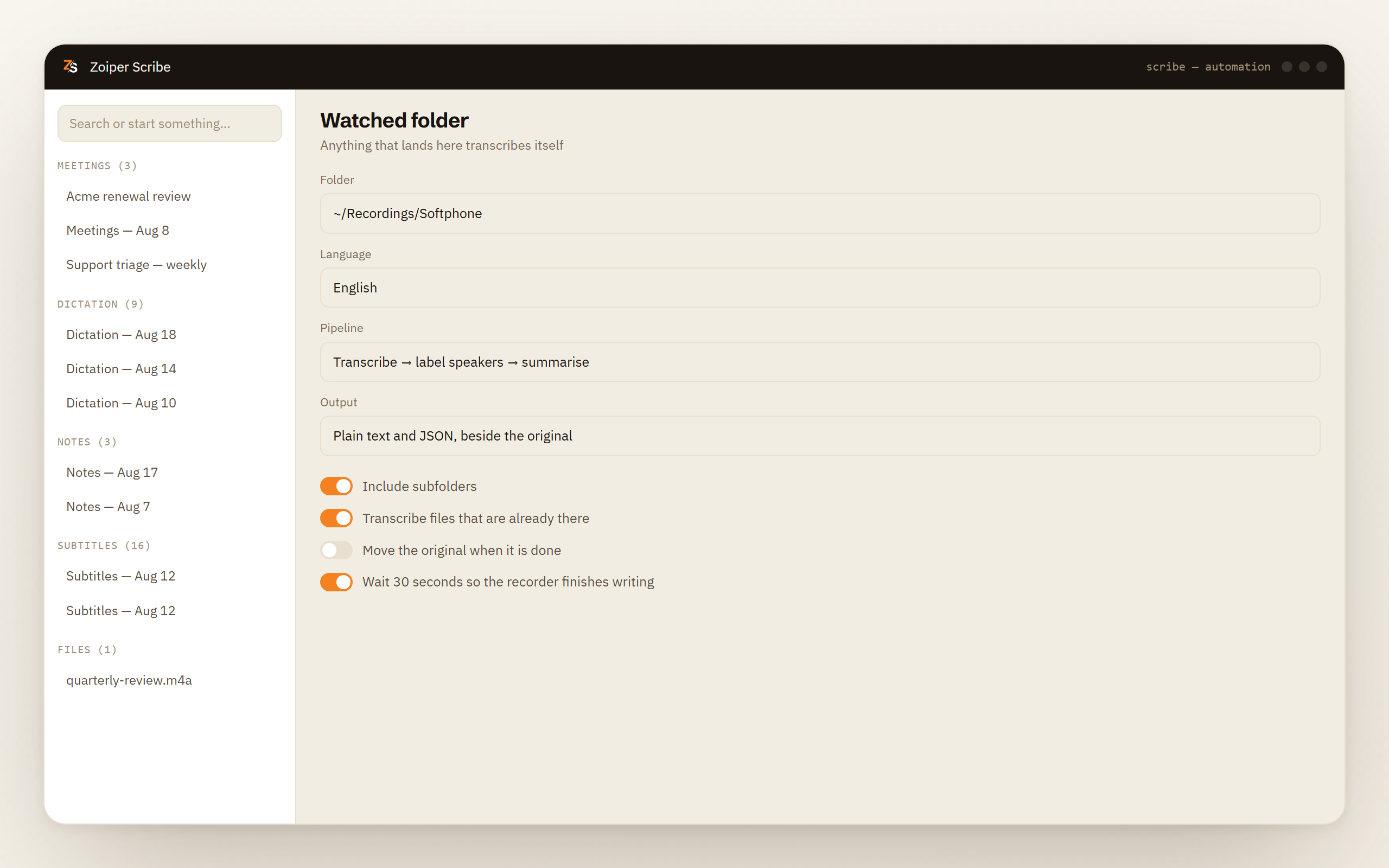
Point a watcher at the directory the recordings land in. Every new file that appears is transcribed, labelled and summarised without anybody pressing anything.
The processor you already own
The speech models are built to run on an ordinary CPU, so no graphics card is required for transcription. A laptop is a perfectly normal place to run this.
How it works
Four steps, and three of them happen once
Get the recordings into a folder
Either your softphone records locally to a directory you choose, or you already pull recordings off the phone system into a folder. Scribe cares about the folder and nothing else.
Point Scribe at it
Choose the directory, the language of the calls and what should run on each file. That is the configuration in full, and you do it once.
Make calls as usual
Nothing about the call changes. Scribe is not aware a call is happening until a file appears in the folder, at which point it transcribes it, separates the voices and writes a summary.
Read, search and export
Each finished call sits in your local history as a transcript with a summary. Search finds a call by what was said in it, and exports are TXT, Markdown, SRT, WebVTT, CSV and JSON.
What the AI edition is
What 3CX transcription actually is, and where it runs
Checked against 3CX's own material on 28 September 2026.
Transcription in 3CX is a feature of the AI edition, not something the desktop app does. That is the single fact behind most of the confusion. If the option is missing, no setting inside the client will produce it, because the feature is not in that product.
Where the speech recognition actually happens is a choice of three. It can run on 3CX's own cloud. It can run through a third-party API, with OpenAI, Google or Grok named as options, using an API key you supply, in which case the audio goes to whichever provider that key belongs to. Or it can run on a server you host yourself, which on the current release, V20 Update 9, means a Debian machine with an NVIDIA card. 3CX recommends one with 24 GB of memory. The next update, in testing in September 2026, adds support for Macs with Apple Silicon.
The AI edition is €550 a year before VAT for eight simultaneous calls, at 3CX's list price in September 2026. The self-hosted route is not available at that size: it needs a licence for at least 16 simultaneous calls.
That is a fair description of a product built for a phone system. The other shape of the same problem is one person who wants the calls they make turned into text without changing the phone system to get it.
Side by side, checked on 28 September 2026
| 3CX AI edition | Zoiper Scribe | |
|---|---|---|
| What it is | A licence tier of the phone system | A desktop application |
| What you change to get it | The PBX edition | Nothing. You install an app |
| Where transcription runs | 3CX cloud, a third-party API on your key, or your own server | Your own computer, always |
| Hardware for the local route | A Debian machine with an NVIDIA card, 24 GB recommended. Apple Silicon Macs are in testing | The processor already in your laptop |
| Works with | 3CX | Any SIP client that writes recordings to a folder |
| Price | €550 a year before VAT for eight simultaneous calls, list price in September 2026. Self-hosting starts at 16 calls | Free in beta, then $8 a month for the application |
| Counted per | Simultaneous calls | Nothing. The app has no call meter |
| Speaker labels | Not compared here, check their documentation | Up to four voices per recording, on device |
| Meetings, dictation, live captions, files | Not what it is for | Same application, same machine |
Be fair
When 3CX's own transcription is the right answer
The AI edition does something Scribe cannot, and the difference is not subtle.
You already run 3CX and want this managed inside the phone system. Their transcription belongs to the PBX, which means it applies to extensions rather than to laptops. Turn it on centrally and it covers everyone, with nothing for individuals to install, configure or remember.
You want it to cover a whole department without touching anyone's machine. Scribe is per desktop. Twenty people means twenty installations and twenty subscriptions, and at that size a PBX feature is the cleaner arrangement.
You want it tied to the phone system's own recording rules and reporting. Recording policy, retention and reporting live in the PBX, and a feature inside the PBX inherits all of it. Scribe reads a file after the fact and knows nothing about your extensions.
You already have the GPU server and a licence for 16 calls or more. If a Debian machine with an NVIDIA card is already sitting in your rack, the self-hosted route removes the third-party API from the picture, which may be exactly what your security review wants.
Where Scribe fits is the other case. One person, or a handful, who want the calls they make turned into searchable text, without a licence change to the phone system and without a graphics card in the building.
The honest part
Consent is the part we cannot do for you
Recording a call is regulated, and the rules are not the same in Brussels, in California and in Sydney. Some places need every party to agree, some need only one, and several industries add an obligation of their own on top. Recording other people may require their consent, and processing the audio on your own machine changes none of that.
Scribe is never the thing that starts a recording on the telephone side. Your phone system or your softphone records, under the settings someone chose there, and Scribe reads the file afterwards. Announcing the recording, keeping evidence of consent and deciding how long to keep the audio all stay with you.
What it does settle is the second question, the one about where the material goes. Transcription, speaker separation and the summary all run on the machine the file is already sitting on, so a call archive full of customer conversations does not become somebody else's copy in order to become searchable.
What the watcher accepts: the file types, the four-voice limit, and after-the-call timing
- Accepted files are wav, mp3, m4a, flac, ogg and aac, plus mp4, mov, mkv and webm if a recorder writes video. Anything outside that list is not picked up.
- Speaker labels separate up to four voices in one recording, which is more than a two-party call needs. Rename each label once and the name stays attached.
- After the call, not during it. A watcher works from the finished file, so the transcript arrives once the recording has been written out. Text while people are still talking is what meeting recording does, not the watcher.
- One folder per watcher, with its own language and its own choice of what runs on each file. A second folder is a second watcher.
- On Windows, a machine under 16 GB of memory or without a GPU gets a plain warning before speaker separation or a summary runs.
Download Scribe Drag one recording in for free. Watched folders are free while Scribe is in beta.
Questions people ask
- Does 3CX have call transcription?
- Yes, as part of its AI edition rather than as a feature of the desktop app. Transcription can run on 3CX's cloud, through a third-party API using an API key you supply, or on a server you host yourself, which needs a licence for 16 simultaneous calls or more. Checked on 28 September 2026.
- Why is 3CX transcription not working for me?
- We cannot debug someone else's phone system, but the usual reason is the edition. Transcription belongs to the AI edition, so if the option is absent no setting inside the client produces it. Beyond that, check that the AI provider is configured and that recording is switched on for the extension.
- What licence do I need for 3CX transcription?
- The AI edition, which is €550 a year before VAT for eight simultaneous calls at 3CX's list price in September 2026. Running the transcription on your own server needs a licence for at least 16 simultaneous calls.
- Can I transcribe 3CX call recordings without the AI edition?
- Yes, if you can get the recordings into a folder on a computer. 3CX lets you download them or archive them automatically to an SMB share, SFTP, FTP, Google Cloud Storage, S3 or SharePoint, though its Basic edition does not record calls at all. Scribe watches the folder and transcribes each new file on the machine itself, with no licence on the phone system and no connection to it. A single recording can also be dragged in as a file, which is on the free plan.
- Do I need a graphics card?
- Not for Scribe. The speech models are built to run on an ordinary processor, which is the difference between a laptop and what 3CX's self-hosted route asks for on its current release: a Debian machine with an NVIDIA card, 24 GB recommended. On Windows, under 16 GB of memory or no GPU gets a warning before speaker separation or a summary runs.
- Does Scribe connect to my PBX?
- No. There is no SIP registration, no extension, no trunk and no API call. It reads audio files from a folder, which is why it works the same whether the calls came from 3CX, from a hosted provider or from a softphone with no phone system behind it at all.
3CX prices a capability for a phone system, counted in simultaneous calls, with a local option that assumes you have a rack. Scribe prices an application for a desk, and for one or two people that comes to a fraction of the licence. For a whole team already on 3CX, the AI edition can work out cheaper: at eight simultaneous calls it costs about €170 a year more than 3CX Pro, and it covers everyone on the phone system.
Prices and product facts about 3CX were checked against their own material on 28 September 2026. If any of it has gone out of date, we would rather correct it than leave it.