A Wispr Flow alternative that keeps your voice on your machine
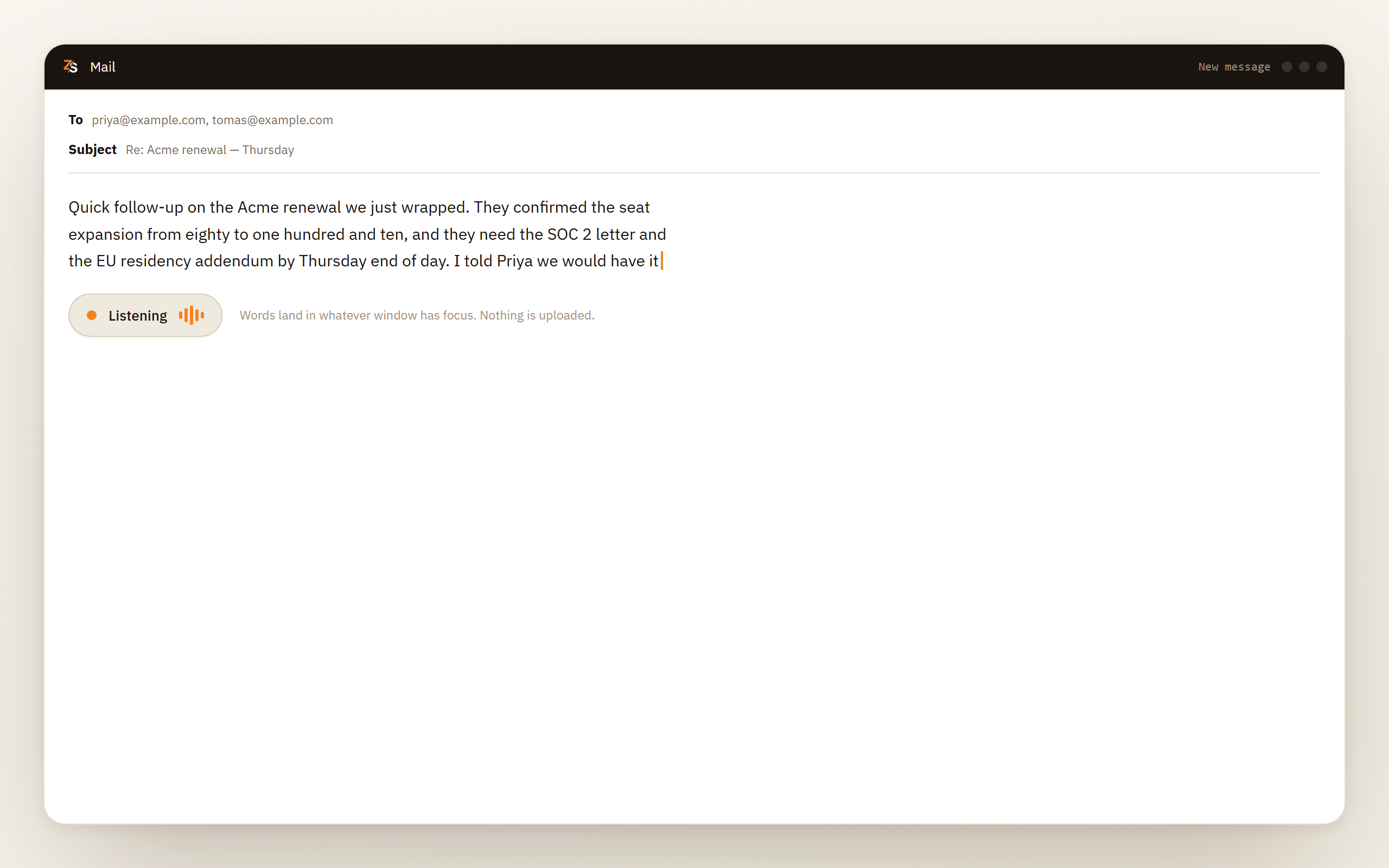
Scribe is dictation into any app with the speech model on your own computer. Wispr Flow is polished, and its own privacy page says transcription always happens in the cloud; if that is your problem, Scribe does the same job locally. Dictation is free while Scribe is in beta.
Download Scribe Free plan for Windows and macOS. No card.
The short answer
One difference matters more than the rest
Wispr Flow's privacy page says it directly: transcription always happens in the cloud, to give the best speed and accuracy. That is a reasonable engineering choice and they are honest about it. It also means every word you dictate, including the sentences you would never paste into a web form, is sent to a server to be turned into text.
Scribe runs the speech model on your own computer. Nothing is uploaded, so dictation keeps working on a plane, on a locked-down network and during an outage, and there is no processor to add to anybody's data map.
Everything else follows from that one difference, in both directions.
Side by side, checked on 28 September 2026
| Wispr Flow | Zoiper Scribe | |
|---|---|---|
| Where transcription runs | The cloud, always | Your computer |
| Works with no connection | No | Yes, after setup |
| Windows | Yes, 64-bit Intel and AMD | Yes, Windows 10 or later |
| macOS | Yes | Yes, macOS 12 or later |
| Phone | iPhone and Android | None |
| Dictation into any app | Yes | Yes |
| Meeting notes | Yes, on macOS and Windows | Yes, on Windows and macOS |
| Live captions of screen audio | No | Yes, on the free plan |
| Softphone call transcripts | Not from saved recordings | Yes |
| Audio and video file transcription | Not offered | Yes, on the free plan |
| Languages | More than 100 | Twelve, each a model on your disk |
| Free plan | 2,000 words a week on desktop | Dictation, files, captions and notes — free in beta |
| Paid plan | $15 a month, or $12 billed annually | $8/mo after beta |
Be fair about this
When Wispr Flow is the better choice
You dictate on your phone. Wispr Flow has iPhone and Android apps; Scribe is a desktop application with no mobile version. If much of your writing happens on a phone, keep Wispr Flow for that.
You need a language we do not have yet. They claim more than a hundred. We have twelve, each a model built to run on your own processor rather than a row in an API, with more on the way. If you work in Hindi or Korean or Thai, check the languages page before you switch.
Your organisation accepts the cloud when the paperwork is in order. Wispr Flow offers a HIPAA business associate agreement on every plan and has SOC 2 Type II and ISO 27001. If a signed agreement and an audited vendor are enough where you work, the cloud stops being the obstacle.
You want the most polished dictation experience and do not care where the audio goes. They have spent a lot of effort on that, and it shows.
Where Scribe wins
Three things that need the model to be local
It works when the network does not
A flight, a client site with guest Wi-Fi, an outage on a deadline. A cloud dictation tool is a paperweight without a connection. Scribe keeps dictating, because the model it needs is already on your disk.
Nothing to explain to a security review
Because the audio never leaves the machine, there is no third-party processor handling your recordings and no sub-processor list to reconcile. For a lawyer, a clinician or anyone in a regulated industry, that difference can be the whole decision.
It is more than dictation
Scribe also records and summarises meetings on Windows and macOS, captions whatever is playing on your screen, transcribes your softphone call recordings, and turns audio and video files into text. Wispr Flow does dictation, with a meeting notetaker on macOS and Windows.
How to compare them
Settle it in an afternoon, with your own voice
Install the free plan of each
Scribe's dictation is free while it is in beta, so just install it and start dictating. Wispr Flow's free tier gives you two thousand words a week.
Dictate the same paragraph into both
On your own microphone, in your own room, in the language you actually work in. Pick a paragraph with names, numbers and a date in it.
Read the two transcripts
Automatic punctuation and number formatting are not available in every language yet, so judge the words rather than the commas, and check the languages page for yours.
Pull the network cable and try again
One of them keeps going. That is the difference the rest of the comparison is about, and it takes ten seconds to see.
A few things to know before you switch: no mobile app, and punctuation not in every language yet
- Dictation is free while Scribe is in beta, and everything is processed on your own machine.
- Twelve languages, each an on-device model. Confirm yours is there before you move.
- No mobile app. If you dictate on a phone, keep something for that.
- Automatic punctuation and number formatting are not available in every language yet. More languages are coming, and the languages page says which have it today.
- macOS needs Accessibility permission for typing into other applications, the same as any tool that does this.
Try the free plan Windows and macOS. Free while Scribe is in beta.
Questions people ask
- Does Wispr Flow work offline?
- No. Their privacy page states that transcription always happens in the cloud, for speed and accuracy. There is no offline mode documented, so a lost connection means no dictation.
- Is Scribe cheaper?
- While Scribe is in beta, dictation is free and unlimited, and everything runs on your own machine. Wispr Flow's free tier gives two thousand words a week in the cloud, and its paid plans run twelve to fifteen dollars a month. Scribe's Pro will be eight dollars a month after the beta.
- Does Wispr Flow train on my dictation?
- They give you a setting that controls whether your dictation audio, transcripts and edits may be used to evaluate, train or improve their models. Check what it is set to on your account. With Scribe the question does not arise, because nothing is sent anywhere.
- Can I keep both?
- Yes, and a reasonable split is Wispr Flow on the phone and Scribe on the desktop, especially if what pushed you here was a specific set of recordings you are not willing to upload.
- How do I compare them fairly?
- Install the free plans of both and dictate the same paragraph into each, on your own microphone, in your own room, in the language you actually work in. Reading two transcripts of your own voice settles it faster than any comparison table.
Wispr Flow and Scribe solve overlapping problems with opposite assumptions about where your voice should be processed. If that question has never occurred to you, their product is more polished. If the question is what brought you here, no amount of polish answers it, because the audio still leaves your machine.
Prices and product facts were checked against Wispr Flow’s own pages on 28 September 2026. If any of it has gone out of date, we would rather correct it than leave it.